Microsoft 365 gives Charleston businesses a substantial range of security controls. But having those controls available doesn’t mean they’re configured for the way your business actually works.
Your people, devices, data, working locations, and compliance requirements all affect the choices you need to make. Before we look at that more closely, there are four areas worth checking now if you want to strengthen Microsoft 365 security before an attack.
Can Microsoft 365 MFA Stop an Account Compromise?
Multi-factor authentication makes stolen credentials harder to use, but effective Microsoft 365 security goes further than simply switching MFA on.
Phishing remains a threat because attackers want something valuable: access to your accounts. Microsoft 365 MFA adds another barrier when someone tries to sign in with a stolen password.
However, the type of authentication and the way you apply it matter.
Microsoft recommends stronger authentication for privileged accounts and advises businesses to block legacy authentication protocols that don’t support MFA.
Start by asking who has access to your environment and what level of privilege each person actually needs. Administrator accounts deserve particular attention because compromising one can give an attacker far greater reach.
In addition, good business email security also needs to account for phishing attacks designed to persuade employees to approve fraudulent sign-in requests or hand over credentials. For this, you need staff training.
Who Can Access Your Microsoft 365 Environment – and From Where?
Microsoft 365 cybersecurity should consider the circumstances of a sign-in, including the user, device, and level of risk.
A legitimate password doesn’t necessarily mean a legitimate user.
For example, Microsoft Entra Conditional Access lets businesses set rules around access. Depending on your licensing and configuration, those policies can require stronger authentication or compliant devices and respond differently to particular access conditions.
This becomes especially important when employees work remotely or use personal devices. Microsoft Intune can protect business information within managed apps on BYOD devices without requiring every personal device to be fully enrolled in device management.
The question for leadership is simple: Do you know which devices can currently access your business information and what happens when one does not meet your security requirements?
How Do You Protect Business Data After Someone Gets In?
Strong Microsoft 365 security also limits how much data a compromised user or account can access, share, or remove.
Preventing every attempted intrusion is unrealistic. Your Microsoft security best practices should therefore include reducing the potential impact if someone does gain access.
That means looking closely at permissions and external sharing across tools such as SharePoint and OneDrive. Microsoft Purview can add further controls around sensitive information through features such as data loss prevention and sensitivity labels.
Think beyond malicious activity, too.
An employee can accidentally share confidential information with the wrong recipient or move business data somewhere it shouldn’t go. Microsoft security controls provide guardrails, but staff training and thoughtful checking before pressing Send remain good practice.
The aim is to make sure access to one account does not automatically open doors to information that person never needed in the first place.
Are You Monitoring Microsoft 365 Security Before an Attack?
Monitoring can help you identify suspicious activity and security gaps before you have to investigate a full-scale incident.
Would you know if someone repeatedly tried to access an account, or if an important security setting changed?
Microsoft provides sign-in and audit information that can help your IT team investigate activity across the environment.
Microsoft Secure Score also provides recommendations for improving your security posture and can recognize cases where you address a risk through a non-Microsoft product or alternative mitigation.
But the technology is only useful if someone reviews what it tells you and acts when something looks wrong.
Katalyst leveraged and optimized Microsoft Defender for a client:
“One of the most tangible improvements has been the increase in our Microsoft Secure Score. It’s a clear KPI that shows the impact Katalyst has helped us make.”
– Damon Sipe, CTO at Engage FI
Why Microsoft 365 Security Should Be Configured for Your Business
Microsoft 365 security for small and mid-sized businesses works best when controls reflect real users, real workflows, and the risks the organization needs to manage.
A manufacturer with shared workstations has different requirements from a professional services firm with a highly mobile workforce. A healthcare organization may need different data controls again.
Your security configuration also needs to change as your business changes — when you add employees, adopt new applications, open locations, or change the way people work.
Licensing matters, too. Microsoft 365 plans do not all provide the same security capabilities.
The answer is not necessarily to turn on every available Microsoft control. It’s to:
- understand your risks,
- decide what you need to protect, and
- configure the right combination of tools and policies.
That’s also why a Microsoft 365 security assessment can be valuable. It can uncover gaps between the protection you assume you have and the way your environment is actually configured.
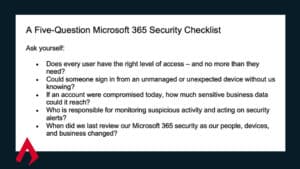
A Five-Question Microsoft 365 Security Checklist
Ask yourself:
- Does every user have the right level of access – and no more than they need?
- Could someone sign in from an unmanaged or unexpected device without us knowing?
- If an account were compromised today, how much sensitive business data could it reach?
- Who is responsible for monitoring suspicious activity and acting on security alerts?
- When did we last review our Microsoft 365 security as our people, devices, and business changed?
Katalyst Can Strengthen Your Microsoft 365 Security Before You Need It
If you need Microsoft 365 support in Charleston, SC, Katalyst can assess your current environment, identify security gaps, and help you build an approach that fits your wider technology strategy.
Our managed services team brings Microsoft expertise to mid-market businesses – while also taking a vendor-neutral approach to your security and IT environment. We work with what you have in order to connect, protect, and operate the digital backbone you’re depending on.
Talk to us about strengthening your Microsoft 365 security before an account compromise becomes a business incident. Connect with one of our experts today.
Throughout October, Steve Rattacasa is hosting live sessions with industry expert guest speakers to discuss threats and cyber-trends shaping how our clients protect themselves. You can save your seat here.